Services
-
![]()
7 Figure CEO Systems Session — $297
Not sure what your business needs first? This is where we figure that out together.
In a 90-minute 1:1 session I audit your current setup, identify your biggest bottlenecks, and hand you a custom systems roadmap — so you know exactly what to build, in what order, and what to stop wasting time on.
For founders who know they need systems but aren't sure where to start.
-
![]()
Delegate & Scale: Starter 30-Day Backend Systems Build - $2,000
**Currently accepting 3 new Delegate & Scale clients per month*
Your business is running on scattered tools, manual processes, and the sheer force of your own will. This is where we fix that.
I come in, audit everything, and build you a fully customized ClickUp system from scratch — workflows, automations, dashboards, and SOPs so that anyone on your team can run it, not just you.
Includes: Full backend audit · Workflow & task system design · Automation setup · SOPs & documentation · Dashboard creation · Implementation support
Investment: $2,000 (one time)
For founders who are ready to stop duct-taping their business together and want it built properly — once.
Not for you if: you just started your business, have no clients yet, or are looking for tool recommendations.
-
![]()
Delegate & Scale: Luxe Ongoing Systems Management & Execution — $5,000/month
Your system is built. Now let's keep it running.
This is for founders who don't want to manage the backend themselves after the build. I stay in, maintain the system, support your team, and make sure nothing breaks as you grow.
Includes: Monthly systems optimization · Backend execution & oversight · Process improvements · Team support & check-ins · Ongoing founder mental load reduction
For founders who have a system in place (or completed Delegate & Scale Starter) and want it actively managed so they can focus entirely on growth.
-
![]()
Your Second in Command Full Operational Leadership — $10,000/month
This isn't task help. This is someone who owns your operations.
Your Second in Command takes over execution, manages your team, maintains your systems, and makes sure the day-to-day runs — so you can stay in vision and strategy where you belong.
For founders with an existing team who need operational leadership, not just support.



DIY
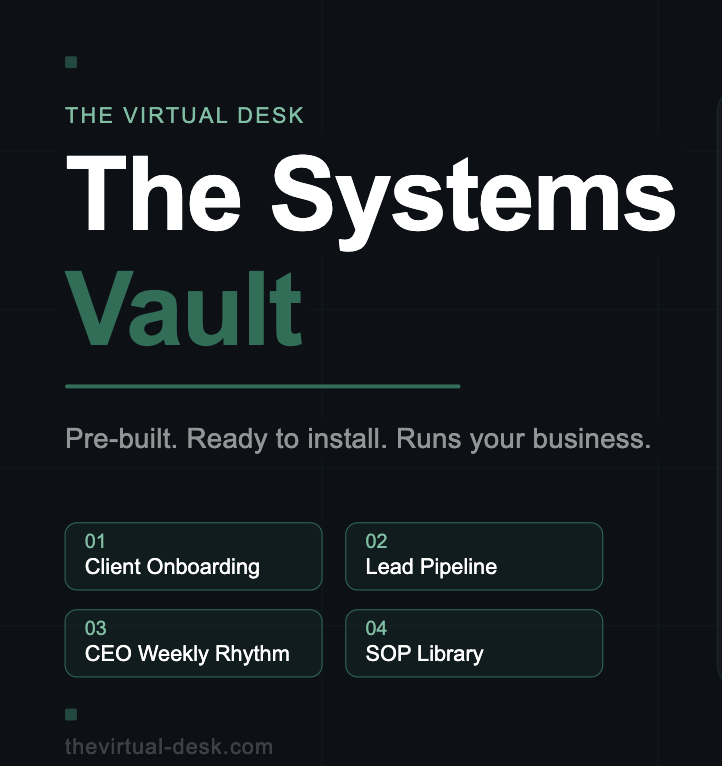
Everything you need to run your service business without holding it all in your head.
A fully pre-built ClickUp workspace with 4 systems, 5 SOPs, Loom walkthroughs, and
Zapier automation maps — installed and running in under 24 hours.
→ Client Onboarding System (with 9 automated subtasks)
→ Lead Pipeline (full contact tracking + board view)
→ CEO Weekly Rhythm Dashboard (15-min Monday check-in)
→ SOP Template Library (5 pre-written, fill-in-the-blank SOPs)
→ 4 Loom walkthrough videos
→ Zapier automation maps for each system
How to Work With The Virtual Desk
Steps:
1. Strategy Session
We assess your business and identify what needs to be fixed first.
2. Choose Your Path
Done-for-you build or strategic support.
3. Build & Optimize
We create systems that your business can actually run on.
4. Operate With Ease
You step out of chaos and into leadership.
Ready to stop being the bottleneck?
Frequently Asked Questions
-
The full build is completed within 30 days. Week 1 is your backend audit — I get under the hood of everything before I touch anything. Weeks 2 through 4 are the build: your ClickUp system, workflows, automations, dashboards, and SOPs. I work in stages and check in with you throughout so nothing gets built in a vacuum. You don't need to be available all day — I just need your feedback at key points and access to your tools.
-
You don't need to have everything figured out — that's literally what the audit is for. What you do need is an active business with existing clients or workflows, access to the tools you're currently using (even if they're a mess), and about 2–3 hours across the first week to go through my findings with me. If you have team members, I'll want to hear from them too — because the people doing the day-to-day work always know things the CEO doesn't.
-
ClickUp is the primary platform I build in — it's where your dashboard, task system, and project structure will live. For automations I work with Zapier and Make depending on what connects best to your existing stack. For documentation and SOPs I use whatever format works best for your team — Notion, Google Docs, or directly inside ClickUp. If you're using other tools I don't recognize, that's fine — I'll assess them in the audit and tell you whether to keep them, replace them, or connect them.
-
You get a full walkthrough of everything I built so you actually understand how it works — not just a handoff and goodbye. You also get all your SOPs documented so your team can run it without you explaining it every time. After that you have two options: you can run it yourself with the systems and documentation I leave you, or you can move into Delegate & Scale Luxe where I stay in and manage it ongoing. A lot of clients start with the build and then realize they want the ongoing support once they see how much lighter things feel — so that conversation happens naturally at the end of the 30 days.